

April 2026 Platform Updates: Less Clicking, More Control
By Megan Trummel • April 22, 2026

A Better Session Experience in Script Elephant
If you’ve ever been mid-show, flipping between tabs, hunting for the latest script update, or double-checking whether a cue actually made it into the rundown…you already know the problem.
Production isn’t just about having the information.
It’s about accessing the right information at the right moment without friction.
That’s exactly what this latest round of Script Elephant updates is designed to solve.
This release isn’t about adding more features for the sake of it. It’s about removing the small moments of friction that slow you down, and replacing them with a faster, more intuitive way to run your sessions.
Let’s walk through what’s new.

A New Session Dashboard
Everything You Need, Right Inside the Session
We’ve reimagined the session experience from the ground up.
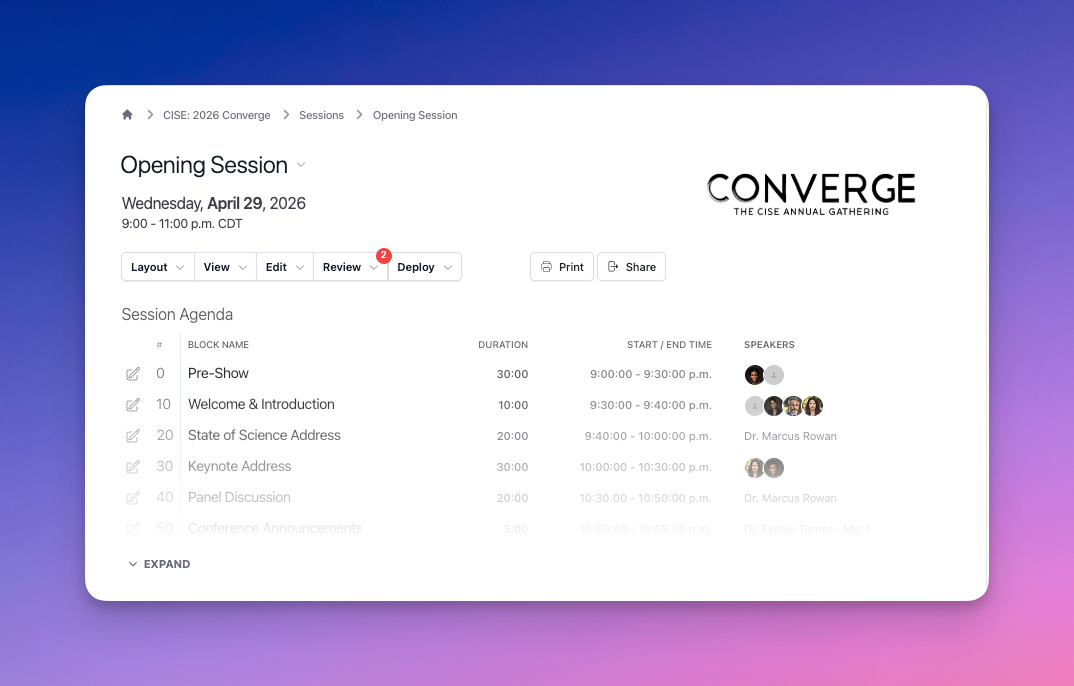
Instead of jumping between views, backtracking to find media, or navigating through layers of menus, your session now acts as a true control center for your production.
With the updated session dashboard, you’ll notice:
- A consolidated workspace that keeps everything in one place
- A clean, simplified menu bar that reduces visual clutter
- Faster navigation between sessions when you're managing multiple shows
- No more backtracking just to review or update media
The goal is simple: fewer clicks, faster decisions, and less mental overhead.
Because when you’re in production mode, even small inefficiencies add up.

A Run of Show View That Adapts to You
Because Production Isn’t One-Size-Fits-All
No two moments in a show are the same, so why should your workspace be?
Sometimes you need to focus on the script.
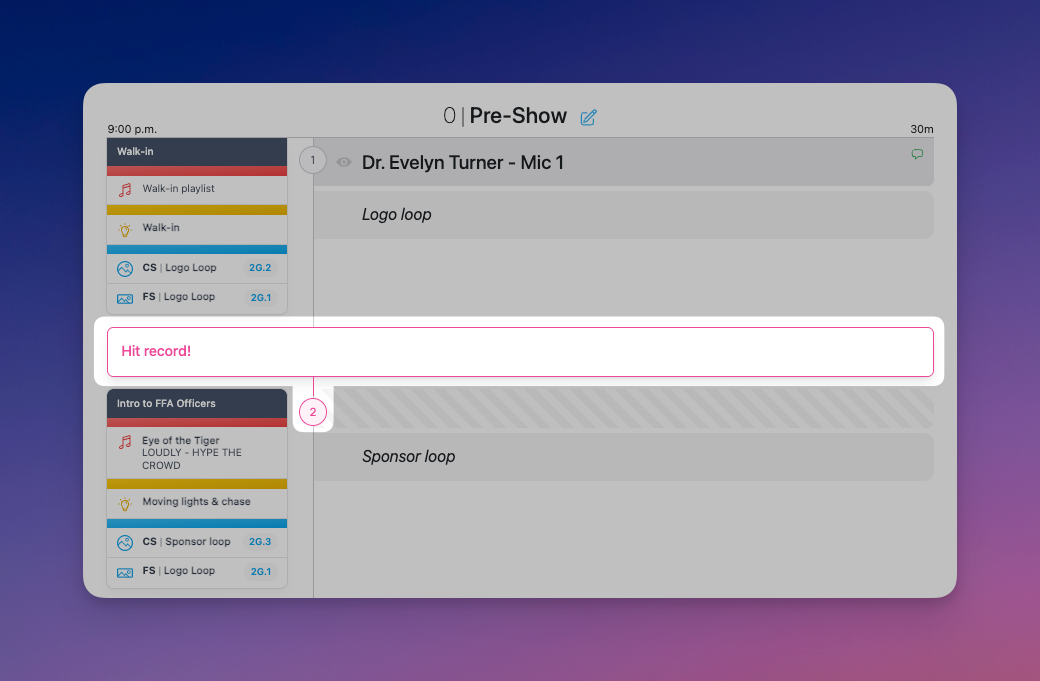
Other times, you need to see cues, timing, and execution at a glance.
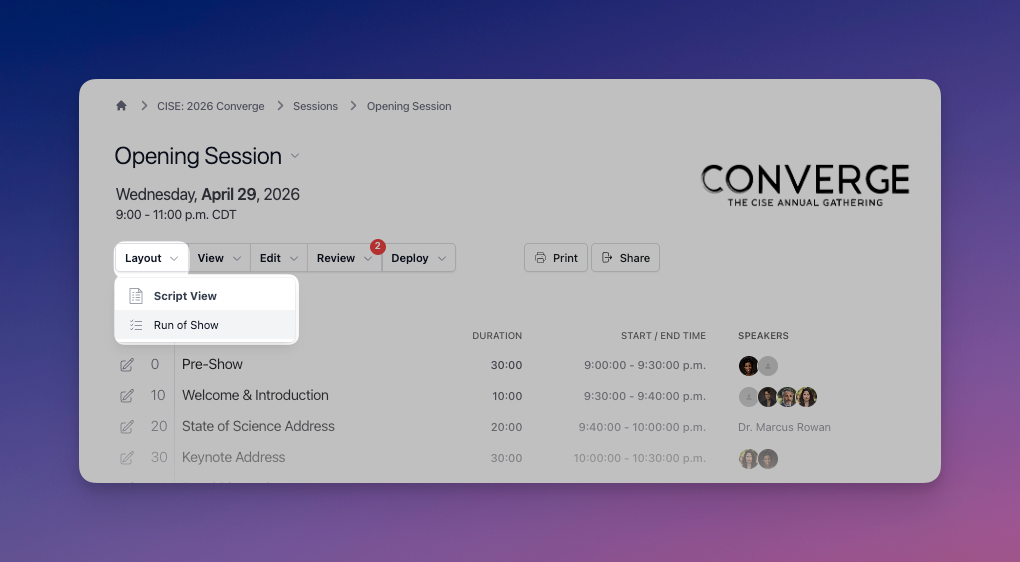
Now, you can switch between views instantly:
- Full Script View → for content, dialogue, and messaging
- Run of Show View → for cues, timing, and execution
And it doesn’t stop there.
You can also tailor your view to exactly what you need in the moment:
- Focus on a single department’s cues
- Hide cues entirely when reviewing spoken content
- Control visibility of confidential information based on permissions
This flexibility means your session works the way you work, not the other way around.

✨ Private Notes
Because Not Everything Is Meant for Everyone
There’s always something you need to remember during a show—
a reminder, a backup plan, a note to yourself before calling the next cue.
Until now, those notes lived somewhere else: a notebook, a sticky note, or a separate doc.
Now they live exactly where they belong.
With Private Notes, you can:
- Add notes directly to your script or run of show
- Keep them visible only to you
- Capture show-time reminders without cluttering the shared experience
This creates a clear separation:
- Shared information stays in cues and departments
- Personal notes stay private and distraction-free
It’s a small change that makes a big difference, especially in high-pressure moments.

Faster Reviews, Smoother Approvals
Dedicated Pages for Comments, Highlights & Private Notes
Reviewing a session used to mean jumping around scrolling, searching, and trying not to miss anything.
Now, everything has a place.
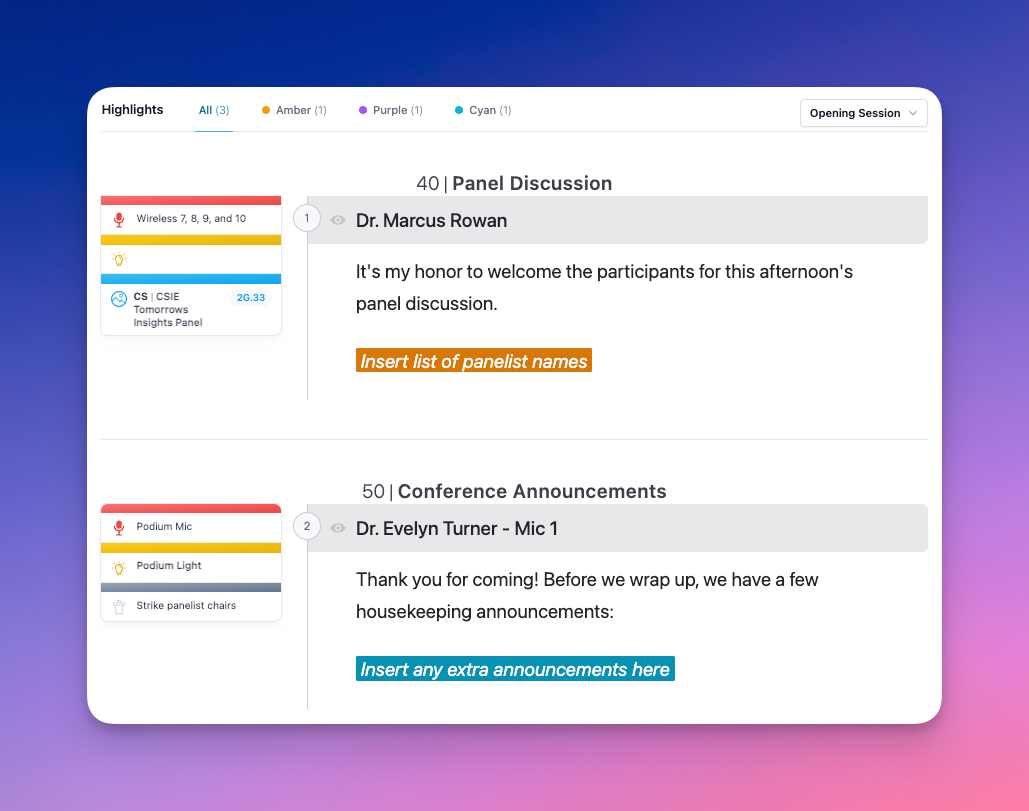
We’ve introduced dedicated review pages for:
- Comments
- Highlights
- Private Notes
These pages are designed to help you:
- Resolve feedback faster
- Stay organized during revisions
- Keep your production moving forward without bottlenecks
Instead of chasing feedback, you can now manage it intentionally.

A Smarter Way to Search
Find It. Fix It. Move On.
We’ve all been there.
“Where did that line go?”
“Did we update that sponsor mention everywhere?”
“Is this the latest version?”
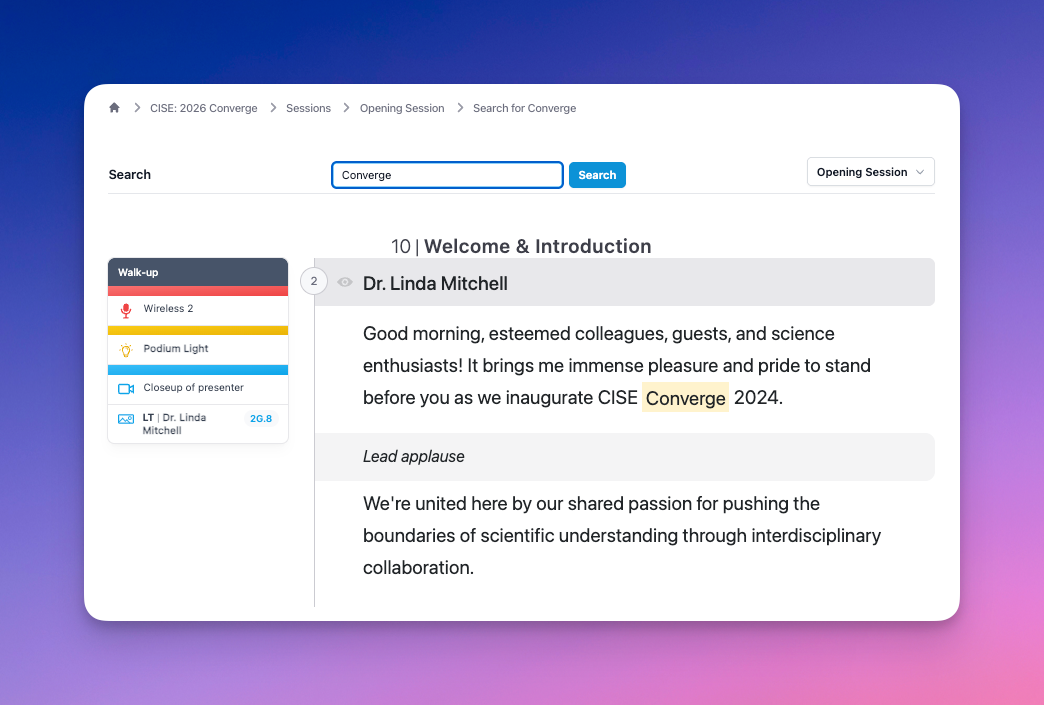
The new Search page eliminates the guesswork.
You can now:
- Search for words, phrases or recurring content across your sessions
- Make updates quickly from one focused view
- Reduce the risk of missed changes
No more hunting through scripts. No more second-guessing.
Just fast, reliable updates when you need them.

Mass Editing, Without the Headaches
Build Faster. Adjust Easier.
Structuring a show often means repeating the same setup over and over again.
Not anymore.
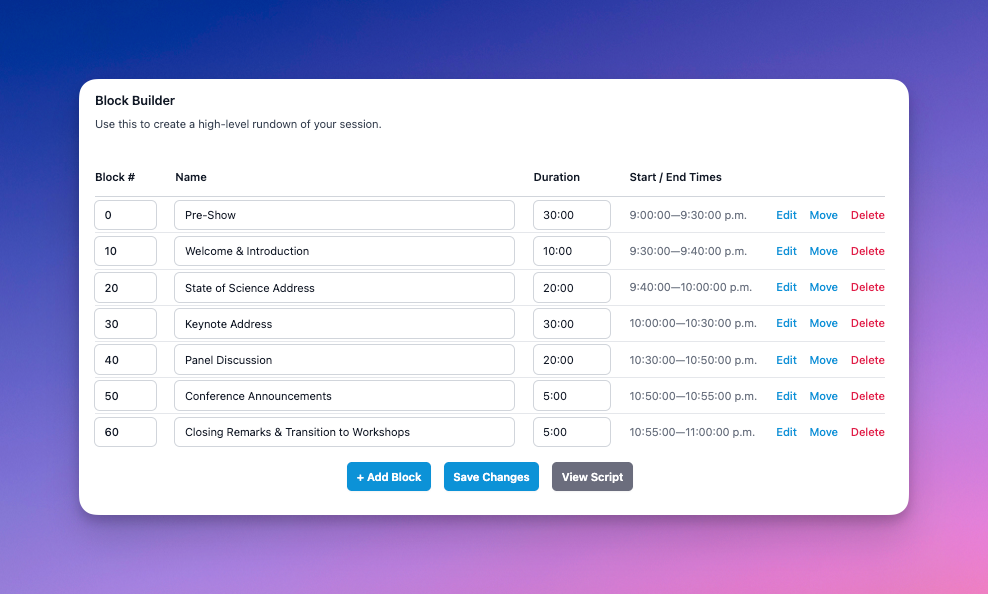
With Mass Edit Blocks, you can:
- Create multiple blocks at once
- Build the full arc of your show before adding details
- Adjust names, numbers, durations, and timing at any stage
This means:
- Faster early-stage planning
- Less friction when timelines change
- Fewer manual updates across your run of show
Because let’s be honest—something always changes.
Designed for the Way You Actually Work
Every update in this release points back to the same idea:
Production tools shouldn’t slow you down.
They should disappear into the background and support the way you think, plan, and execute.
This new session experience is:
- More intuitive
- More flexible
- More focused on real production workflows
And most importantly, it helps your team stay aligned without extra effort.
Want to See It in Action?
The best way to understand these updates is to experience them yourself.
Explore the new session experience in our interactive sandbox, or schedule time with our team to walk through it together.
And if you have questions, feedback, or ideas...we’re always listening.
Email [email protected] or set up time to chat!
Ready to learn more?
Sign up to get industry insights, trends, and more in your inbox.
Contact Us
We will get back to you as soon as possible.
Please try again later.
SHARE THIS
Latest Posts